

If you’ve been shopping for WordPress hosting, you’ve almost certainly come face-to-face with this exact decision: managed WordPress hosting vs shared hosting. On the surface, shared hosting looks incredibly attractive: the price is low, the sign-up is fast, and every provider promises you the world. Managed WordPress hosting, on the other hand, costs more and requires a little more thought. So which one is actually right for your business?
The honest answer is: it depends, but not in the wishy-washy, non-committal way that phrase usually implies. There are clear, concrete situations where each type of hosting wins, and by the end of this guide, you’ll know exactly which camp you fall into. We’ll cover performance, security, support, cost, scalability, and the hidden expenses that most hosting comparison posts conveniently omit.
Let’s get into it.
What Is Shared Hosting?
Shared hosting is exactly what it sounds like: your website shares a physical server with dozens (sometimes hundreds) of other websites. All of those sites pull from the same pool of CPU, RAM, and bandwidth. The hosting provider handles the server itself, but you’re largely on your own when it comes to managing your WordPress installation, updates, backups, and security.
Shared hosting is the entry-level tier of web hosting, and it’s designed with beginners and hobby sites in mind. Providers like Bluehost, HostGator, and SiteGround all offer shared plans that start anywhere from $2 to $10 per month. That low price point is the single biggest selling point, and it’s also where most of the problems begin.
How Shared Hosting Works
Picture a large apartment building. Every tenant lives in the same building, uses the same hallways, and shares the same utilities infrastructure. When one tenant throws a party and floods the hallways with guests, everyone else feels the impact. Shared hosting works the same way. If one site on your server gets a spike in traffic, runs a heavy script, or gets infected with malware, your site can slow down, go offline, or even become compromised, through no fault of your own.
This is often called the “bad neighbor effect,” and it’s one of the most underappreciated risks of shared hosting for business websites.
What Is Managed WordPress Hosting?
Managed WordPress hosting is a premium hosting environment built specifically for WordPress sites. Instead of sharing resources with hundreds of strangers on a generic server, your site runs on infrastructure optimized exclusively for WordPress, tuned to its database structure, caching behavior, and security vulnerabilities.
More importantly, the word “managed” means that a team of WordPress experts handles the technical side of running your site on your behalf. That includes server maintenance, WordPress core updates, plugin updates, security monitoring, daily backups, performance optimization, and more. You focus on running your business. Your hosting provider handles everything underneath the hood.
How Managed WordPress Hosting Works
Think of managed WordPress hosting like leasing a fully serviced office space versus renting a raw commercial property. With the serviced office, the building is maintained, the internet is set up, cleaning is handled, and there’s a reception desk to greet guests. You walk in and get to work. With the raw commercial property, you’re responsible for all of that yourself, and one burst pipe can shut the whole operation down.
Managed WordPress hosting providers build their entire stack around WordPress performance: NVMe SSD storage for fast read/write speeds, built-in caching layers (often powered by Cloudflare), automatic SSL certificates, off-site cloud backups, and proactive malware scanning. Premium support teams are staffed with actual WordPress experts, not general hosting technicians reading from a script.
Managed WordPress Hosting vs Shared Hosting: Head-to-Head Comparison
Now let’s get specific. Here’s how managed WordPress hosting stacks up against shared hosting across the factors that matter most to a business owner.
Performance and Speed
Speed is not just a user experience issue; it’s a revenue issue. Research from Google consistently shows that as page load time increases from one to three seconds, the probability of a visitor bouncing increases by 32%. For an e-commerce store or a service business running on WordPress, that’s real money walking out the door.
Shared hosting servers are not optimized for any specific platform. They run a generic software stack that needs to serve PHP, MySQL, and file requests for hundreds of different website types simultaneously. When traffic spikes, even on someone else’s site, your site pays the price in sluggish response times and elevated Time to First Byte (TTFB).
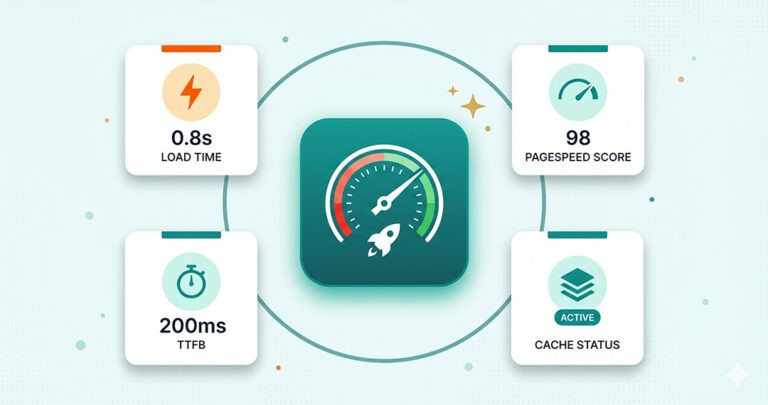
Managed WordPress hosting is a completely different story. The server stack is tuned specifically for how WordPress handles requests. Built-in page caching, object caching, and Cloudflare CDN integration mean your pages are served from memory or an edge server near your visitor, rather than being generated fresh from the database on every request. The result? Dramatically faster load times, stronger Core Web Vitals scores, and better Google rankings.
Winner: Managed WordPress Hosting, by a wide margin.
Security
WordPress powers over 40% of all websites on the internet, which makes it the single biggest target for hackers, bots, and malware injection attacks. Shared hosting environments amplify this risk significantly. Because hundreds of sites share the same server, a vulnerability in one site’s outdated plugin or theme can be exploited to gain access to neighboring sites. This is known as cross-site contamination, and it’s far more common on shared servers than most hosting providers will openly admit.
On a shared host, security is largely your responsibility. You need to keep WordPress core, all plugins, and all themes updated. You need to install and configure a security plugin. You need to watch for suspicious activity. If your site gets infected, the cleanup is your problem, and often your cost, too.
Managed WordPress hosting flips this model entirely. Security is baked into the service. Providers monitor for threats at the server level, implement firewalls and intrusion detection, and many include automatic malware scanning and removal. Plugin and theme updates are handled on a scheduled basis, dramatically reducing the attack surface before vulnerabilities can be exploited.
Winner: Managed WordPress Hosting.
WordPress-Specific Support
This one is often overlooked until something goes wrong, and something always eventually goes wrong with WordPress. A plugin conflict after an update. A theme breaking after a WordPress core release. A 500 error with no explanation. A site that suddenly starts loading in 12 seconds.
With shared hosting support, you’re typically talking to a general helpdesk agent. They know how to help you reset a password or point your DNS, but when you describe a PHP memory exhaustion error or a conflict between two Gutenberg plugins, the conversation gets uncomfortable fast. Many shared hosting providers cap their support at the server level and explicitly state they don’t support WordPress-specific issues.
Managed WordPress hosting support is staffed by people who live and breathe WordPress. They understand plugin conflicts, database optimization, wp-config settings, and .htaccess rules. When something breaks, you’re talking to someone who can actually fix it, not someone who will tell you to reinstall WordPress and hope for the best.
Winner: Managed WordPress Hosting.
Cost
Here’s where shared hosting looks most attractive, and where most comparisons stop. A shared hosting plan can cost as little as $2 to $5 per month on an introductory offer. Managed WordPress hosting plans typically start at $30 to $70 per month and increase based on traffic, features, and the number of sites.
On paper, shared hosting wins. In practice, the calculation is more complicated than that, and we’ll dig into the true cost of cheap hosting in a dedicated section below.
Winner: Shared Hosting (on sticker price only).
Ease of Use and Ongoing Management
Shared hosting gives you a cPanel dashboard and a one-click WordPress installer. After that, you’re largely managing your site yourself: monitoring updates, keeping backups, checking for broken plugins, and troubleshooting errors. That’s time, and for a business owner, time has a cost.
Managed WordPress hosting takes the day-to-day management off your plate. Updates happen automatically or on a managed schedule. Backups run in the background without you lifting a finger. Performance is monitored around the clock. You log in to your site and focus on content, clients, and conversions, not on server administration.
Winner: Managed WordPress Hosting.
Scalability
If your business grows (and that’s the goal), your hosting needs to grow with you. Shared hosting has hard resource limits. When you consistently approach those limits, your site slows, errors increase, and you get strongly encouraged to upgrade to a VPS or cloud plan. The migration itself becomes its own project.
Managed WordPress hosting is built for growth. Quality providers offer clearly defined plans with room to scale, and migrations between plans are handled for you. If you run a campaign that drives a sudden traffic spike, the infrastructure is designed to absorb it rather than buckle under it.
Winner: Managed WordPress Hosting.
When Shared Hosting Actually Makes Sense
To be fair, shared hosting isn’t universally wrong. There are situations where it’s a perfectly reasonable choice:
- You’re building a personal blog or hobby site with no revenue attached, minimal traffic, and no critical uptime requirements.
- You’re learning WordPress for the first time and want a low-cost sandbox environment to experiment in.
- You have a temporary or short-lived project: a single-event website, a simple landing page for a one-time campaign, or a portfolio placeholder while you build something larger.
- Budget is an absolute hard constraint, and you have the technical knowledge to handle updates, security, and backups yourself.
If any of these describe your situation, shared hosting can serve you just fine. The moment your site is tied to business revenue, professional credibility, or customer trust, the calculation changes dramatically.
When Managed WordPress Hosting Is the Better Choice
Managed WordPress hosting is the right move when your website is doing real work for your business. Specifically:
- You run a service business where your website is the primary way clients find, vet, and contact you. Downtime means lost leads.
- You operate an e-commerce store on WooCommerce. Every second of slow load time costs conversions. Every security breach costs customer trust.
- You receive consistent traffic from SEO, ads, or social media, and your Google rankings matter to your bottom line.
- You don’t have (or don’t want) a technical person managing your site. Managed hosting means someone else handles the maintenance.
- You’ve had a bad experience with shared hosting, including slow speeds, a hack, or a botched update that took your site down, and you’re done dealing with it.
- Your website needs to be fast. If you’re competing on SEO, Core Web Vitals are now a direct ranking factor, and shared hosting simply can’t deliver the scores that managed environments can.
The Real Cost of “Cheap” Shared Hosting
This is the section most hosting comparison posts skip. That $3/month shared plan isn’t really $3/month once you factor in everything it doesn’t include.
The Cost of Downtime
Shared hosting providers often advertise “99.9% uptime,” but that’s a marketing claim, not a guarantee. Even at a true 99.9% uptime rate, that’s about 8.7 hours of downtime per year. For a business website, every hour offline is a potential client who bounced, a lead form that didn’t submit, a sale that didn’t happen. What is one hour of downtime worth to your business?
The Cost of a Hack
WordPress malware removal by a professional service typically costs $150 to $500 or more per incident, depending on severity. And that’s assuming the hack is caught quickly. If malware sits undetected and starts sending spam, stealing customer data, or getting your domain blacklisted by Google, the cleanup cost and the SEO damage can be orders of magnitude higher.
The Cost of Your Time
If you’re doing your own WordPress updates, backups, and security checks on shared hosting, you’re spending time every month on tasks that managed hosting handles automatically. If your time as a business owner is worth $50, $100, or $200 per hour, how many hours are you really saving by paying $3/month for hosting?
The Cost of Slow Load Times
Sites on shared hosting frequently score poorly on Google PageSpeed Insights, particularly on mobile. Poor Core Web Vitals scores suppress your search rankings. Lower rankings mean less organic traffic. Less organic traffic means lower revenue. A slow website on cheap hosting can silently cost you far more than the price difference between shared and managed hosting.
When you add all of this up, managed WordPress hosting is often the more economical choice for a business, not in spite of its higher price, but because of everything that higher price prevents.
What to Look for in a Managed WordPress Hosting Plan
Not all managed WordPress hosting is created equal. If you’re ready to make the switch, here’s what a quality plan should include:
- NVMe SSD storage: faster than traditional SSDs, especially for WordPress’s database-heavy operations.
- Built-in caching: page caching and object caching at the server level, not just a plugin you configure yourself.
- CDN integration: ideally Cloudflare, to serve your content from edge locations close to your visitors worldwide.
- Automatic off-site backups: backups that are stored somewhere other than your hosting server, so a server failure doesn’t take your backups with it.
- Free SSL certificate: HTTPS is a Google ranking factor and a baseline trust signal for visitors.
- Bi-weekly or monthly plugin and theme updates: managed, tested updates that keep your site secure without breaking things.
- Proactive security monitoring: malware scanning, uptime monitoring, and alerts before small problems become big ones.
- WordPress-expert support: real people who understand WordPress, available when you need them.
- Free site migration: moving from your current host should be handled for you, without disruption to your live site.
- Transparent, clearly defined resource limits: you should know exactly how many visits, how much storage, and how much bandwidth your plan supports.
At The Beard Guy LLC, our Managed WordPress Hosting plans are built around every one of these requirements. Our Business plan starts at $69/month and includes 2 AMD vCPUs, 2GB RAM, 40GB NVMe SSD storage, Cloudflare CDN integration, off-site cloud backups, bi-weekly plugin and theme updates, proactive security optimization, spam prevention, free SSL, and free site migration, all backed by professional WordPress support. For higher-traffic sites, our Enterprise and Agency plans scale up to meet your needs.
Frequently Asked Questions
Is managed WordPress hosting worth it for a small business?
Yes, especially if your website generates leads, bookings, or sales for your business. The performance, security, and time savings that managed hosting delivers far outweigh the higher monthly cost when compared to the true cost of downtime, hacks, and slow load times on shared hosting.
Can I move from shared hosting to managed WordPress hosting without losing my site?
Absolutely. A reputable managed WordPress hosting provider will migrate your site for you at no extra cost. The process is handled by their team and is designed to cause zero disruption to your live site. At The Beard Guy LLC, free site migration is included with every hosting plan.
Do I need technical skills to use managed WordPress hosting?
No, that’s actually the whole point. Managed WordPress hosting is designed for business owners who want a fast, secure, well-maintained WordPress site without needing to be technical themselves. The provider handles the server administration, updates, and maintenance on your behalf.
What’s the difference between managed WordPress hosting and a VPS?
A VPS (Virtual Private Server) provides dedicated resources on a shared physical server, but management is still largely up to you. You get more power and isolation than basic shared hosting, but without the WordPress-specific optimization, expert support, and managed services that a true managed WordPress hosting plan provides.
How does managed WordPress hosting improve my Google rankings?
In several ways. Faster server response times improve your Core Web Vitals scores, which are a direct Google ranking factor. Maintained SSL certificates keep HTTPS active (another ranking signal). Regular plugin and theme updates reduce security vulnerabilities that could lead to your site being flagged or blacklisted. Cloudflare CDN reduces latency for visitors worldwide, improving overall page experience scores.
Is shared hosting ever good enough for a business website?
For a very small, low-traffic business website where performance and uptime aren’t critical, for example, a simple one-page site for a local business that gets a handful of visitors per month, shared hosting can technically work. But once your site is actively generating business or competing for search rankings, the limitations of shared hosting will hold you back.
The Bottom Line
The managed WordPress hosting vs shared hosting decision isn’t really about price; it’s about what you need your website to do. If your website is a core part of how your business operates, attracts clients, or generates revenue, then shared hosting is a false economy. The savings on your monthly bill are real, but the hidden costs are even more real.
Managed WordPress hosting gives your business a fast, secure, well-maintained foundation that works for you, not against you. You get expert support when things go wrong, proactive protection before they do, and a performance baseline that shared hosting simply cannot match.
If you’re ready to stop settling for a hosting environment that’s holding your business back, we’d love to help. Explore our Managed WordPress Hosting plans and find the right fit for your site, or get in touch, and we’ll walk you through the options together.